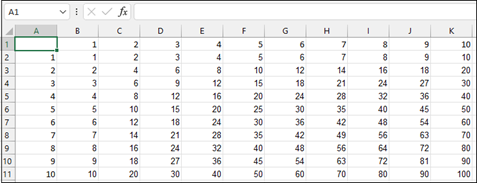
To help a child better understand math concepts, create a multiplication table.
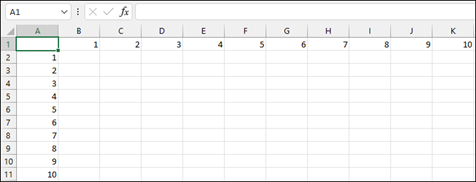
Enter numbers 1 through 10 in cells A2 to A11 and again in cells B1 to K1.
Enter this formula in cell B2. The $ locks the value for the header row and the formula multiplies it by the value in the row.
=$A2*B$1Copy cell B2.
Select the range B2:K11.
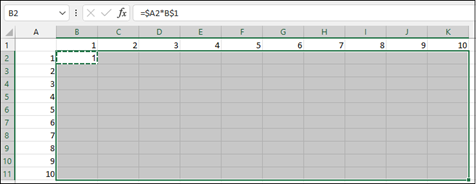
Paste the formula into those cells (Ctrl + V).