

OneDrive disk space and file size don't match
You may see a difference between Size and Size on Disk when viewing file, folder, or drive properties. This could be because of the following reasons:
- The OneDrive Files On Demand feature doesn't download the file to your computer, only a placeholder or link to it.
- Storage utilities show file categories, not the actual files.
- Rounding differences in MB/GB calculations. OneDrive does not compress, change or modify your files when you upload them to OneDrive, but there are different ways to express the size of a file depending on the calculations used.
OneDrive folder and file dates don't match
You may see a difference between folder dates and content dates. This is because the folder date refers to when the folder itself was created or changed, not when something inside of it has changed. You may notice this when syncing an old folder from the cloud.
Files on Demand discrepancies
OneDrive Files On Demand doesn't download all the files to your computer, only a placeholder or link to it.
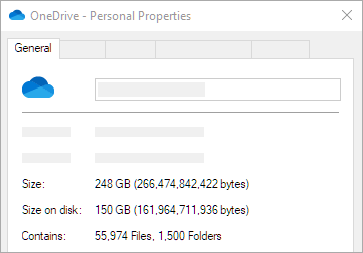
For more information, read about Files On-Demand for Windows 10 or Files On-Demand for Mac.
Offline files taking up space on macOS
The macOS Disk Utility and other apps display storage categories. In their support article, Apple say:
"Don't rely on these categories to understand how much storage space is available for your data.
"The Storage pane of About This Mac is the best way to determine the amount of storage space available on your Mac."
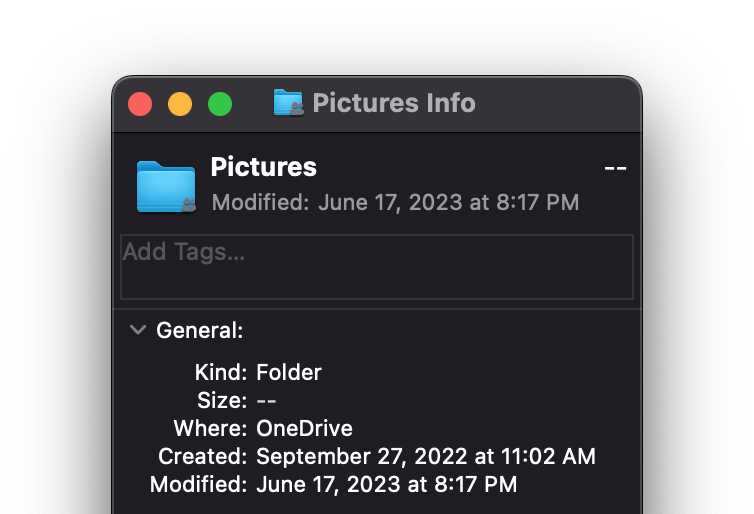
Get Info shows no size for macOS folders
File size information is only available for OneDrive files.
Need more help?
Account support. For help with your Microsoft account and subscriptions, visit Account & Billing Help.
Technical support. For technical support, select Contact Microsoft Support below, enter your problem and select Get Help.
Mobile users can contact Support by opening the OneDrive app and gently shaking your device.
Community support. Communities help you ask questions, give feedback, and hear from experts with rich knowledge. Ask the Microsoft Community. Do not disclose personal or sensitive information in public forums.