
Last updated: September 2026
Note
- If you have a work or school (Entra ID) account, Copilot Pages is available to those who have SharePoint or OneDrive storage, including ones without a Microsoft 365 Copilot license.
- If you have a personal Microsoft account, Copilot Pages is available if you're a Microsoft 365 Personal, Family, Premium, or Pro subscriber. Learn more about Microsoft Copilot licensing and Microsoft Copilot plans.
Quickly find Copilot pages that others have shared with you in Microsoft Copilot Library. You can review shared content, stay up to date, and jump back into work with your team.
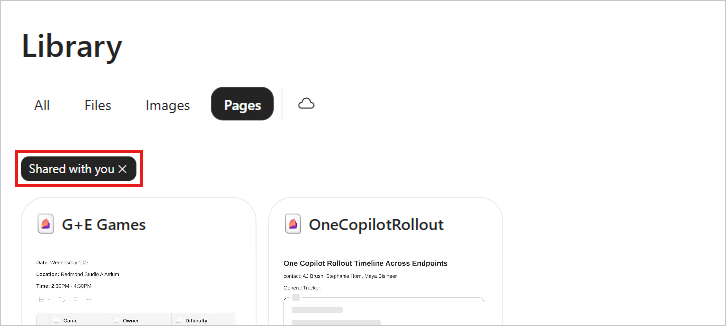
How to find shared pages in Copilot Library
- Sign into microsoft365.com. You should see your name and picture at the bottom left corner of the screen.
- Select Library on the left side of the screen. Your pages appear under All and collected under Pages.
- In the Pages tab, select the Filter icon drop-down, then choose Shared with you.
More ways to work with Copilot Pages
Get started with Microsoft Copilot Pages
How Microsoft Copilot Pages works