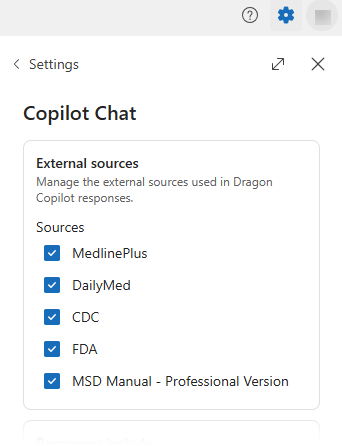
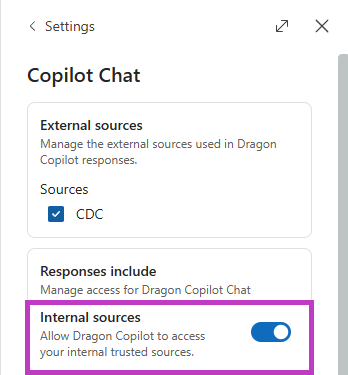
Enable Dragon Copilot Chat  to use internal sources.
- Select Settings
 > Copilot Chat.
- Turn on internal sources.
How to get answers from your external and internal sources
After you select your external sources, you're ready to ask a question.
- Open a patient session.
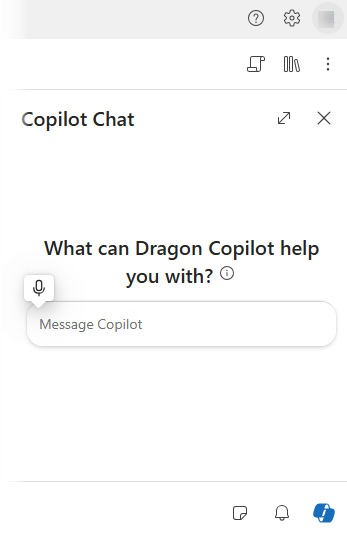
- Select Dragon Copilot Chat
in the lower right of your screen.
- Type or dictate a prompt in the chat field.
When you make queries to learn about the patient story, Dragon Copilot looks within the note and transcript for answers. If you make a query for a topic outside of the note and transcript, Dragon Copilot returns information from the internal sources that you have access to and external sources you enabled in Settings
.
Tip
Want to query a specific external source? Include the source name in your prompt. For example, "According to the CDC, what are the updated guidelines for COVID-19 vaccination booster doses for individuals who have completed their initial vaccine series?
Use best practices
To get the best results when researching trusted external and internal sources:
- Ask single, focused questions. This approach helps you get more precise answers. "What are the recommended tests for Lyme disease?" or "What are the infection control protocols?"
- Use clear and established medical terms. This practice ensures accurate responses from your references. "What are the guidelines for the timing of invasive angiography in patients with NSTEMI according to MSD Manuals?"
- Include the patient context by using phrases like "for this patient" to tailor the information to your specific needs. "What is the next step for this patient to reduce statin related muscle pain?"
- Specify a particular source from your selected external sources to ensure it appears in your results. Dragon Copilot prioritizes the specified reference. "Can this patient continue birth control pills based on guidance from Merck Manuals?" or "What does my organization say about privacy documentation?"
View a response
Dragon Copilot enables you to access and use information from external and internal sources directly within the chat interface.
- A dedicated context card pops up in Dragon Copilot Chat
with a response after Dragon Copilot generates a response to your query.
- The card contains the asked question, the response, and references used to provide the response.
View references in the response
Dragon Copilot provides references to its sources so you can verify the response or relevant parts of it.
References appear as links at the end of the response, where all sources used are referenced.
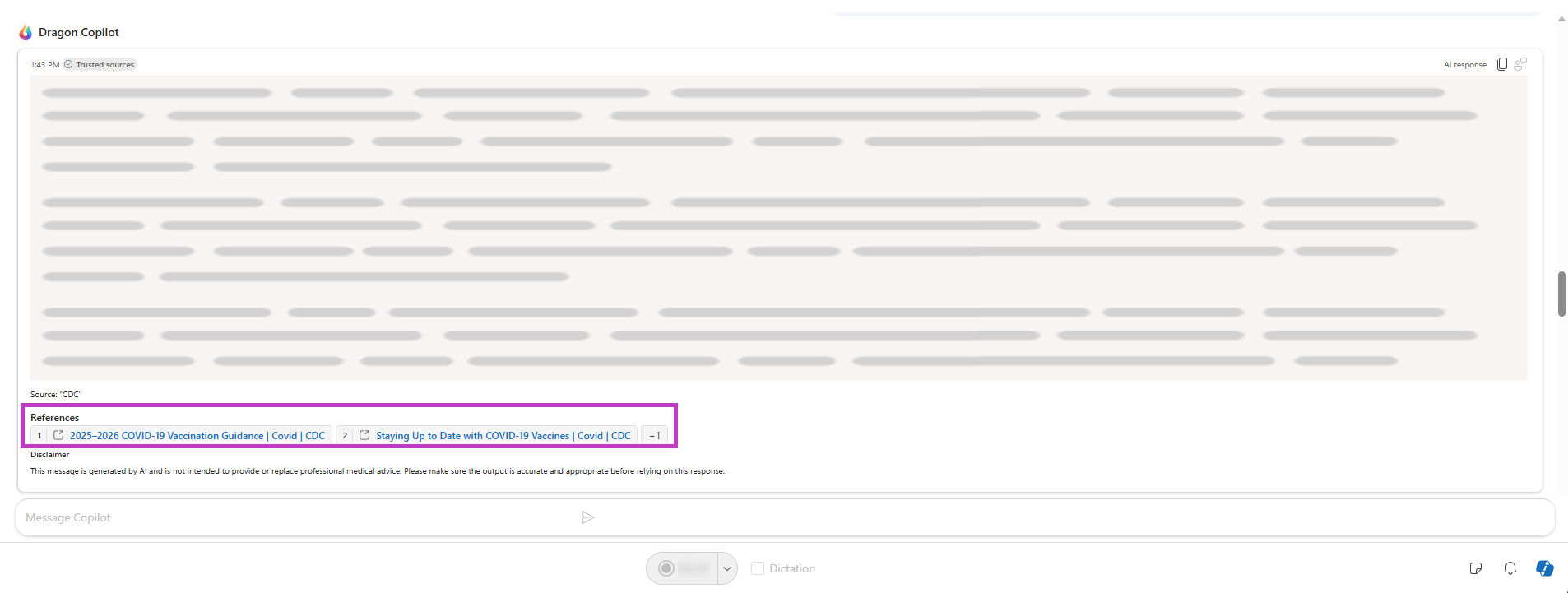
Dragon Copilot also provides inline references. For inline references, hover over the reference for an excerpt and the link to the external source. Select the link either in the reference section or inline to open the external source.
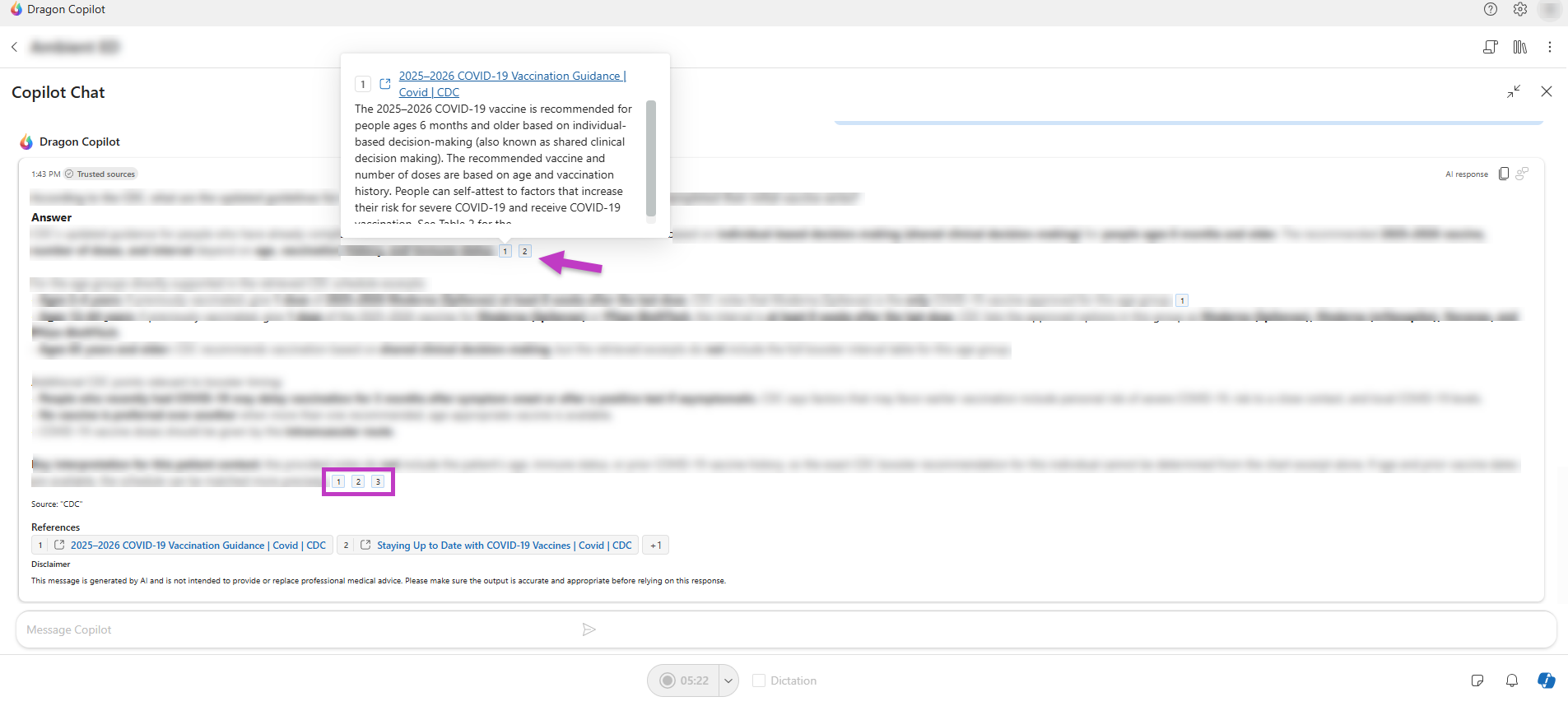
For external sources, hover over an inline reference to preview an excerpt, or select the link inline or in the reference section to open the source. For internal sources, hover over an inline reference or reference section link to view content from the original document.
Note
Refer back to the original source to verify information and clarify context.
As you become more comfortable writing queries, you'll see that Dragon Copilot can become more valuable to your documentation workflow.