
SharePoint News and Viva Engage work together to help you share information where communities already connect and collaborate. When a SharePoint News post is cross-posted to a Viva Engage community or storyline, community members can discover the news in Engage, read the full SharePoint news post without leaving the experience, and participate in the same conversation from anywhere it's discovered.
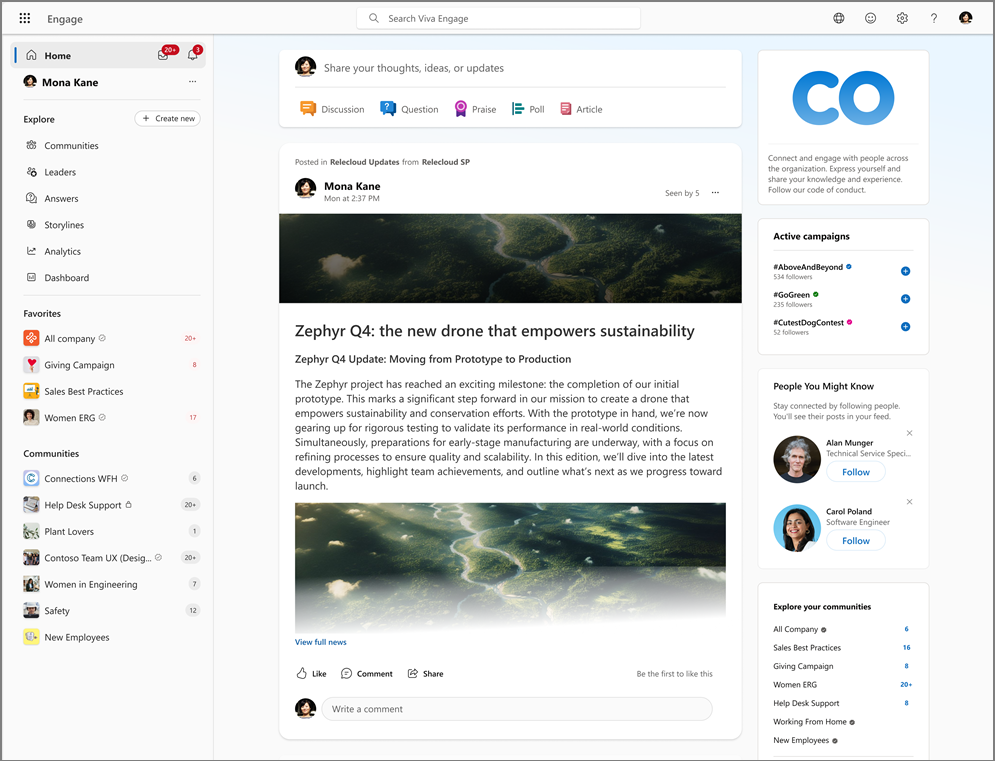
Centralized communications with real-time interactions
Comments and reactions stay synchronized across both products, while SharePoint remains the source for the news content.
- Share SharePoint News with community members where they already participate in discussions.
- Make the same content available across SharePoint and Viva Engage without creating separate versions.
- Maintain one conversation experience across both products.
- Keep comments and reactions synchronized between SharePoint and Viva Engage.
- Continue using SharePoint as the source for news content and governance.
How the SharePoint News cross-post experience works on Engage
An admin or content publisher shares a SharePoint News post to a Viva Engage community or storyline.
The SharePoint News post remains the original content. People on Viva Engage can discover the post in Engage, open the full news post, and participate in the conversation from either product.
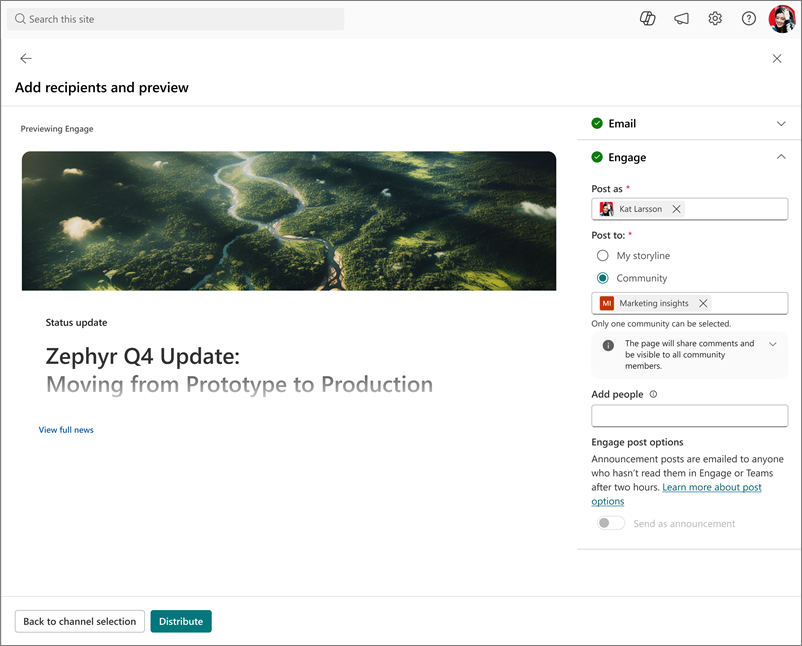
A unified conversation experience
Comments and reactions are mirrored between SharePoint and Viva Engage, allowing participants to engage from the experience they use while contributing to the same discussion in real time, so participants see the same conversation regardless of where they participate.
What community members experience in Viva Engage
Community members see the SharePoint News post in their feed, community, or storyline experience. The post appears as a card that carries the news post into Engage while preserving the full SharePoint layout, including its formatting and media across apps, including integrations with Teams and Outlook.
Analytics and reporting for admins
Organizations continue to use the analytics experiences available in SharePoint and Viva Engage. Together, these views help admins and communicators understand how people view content and engage in discussions.
For requirements, permissions, delegate scenarios, announcements, analytics, and troubleshooting information, see the admin article: Cross-post SharePoint news to Viva Engage.
Learn more
Write and schedule posts in Viva Engage