

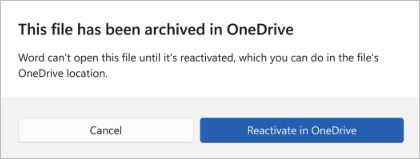
If you see a message in Microsoft Word, Excel, or PowerPoint saying that a file has been archived in OneDrive and can't be opened until it's reactivated, it means that the file you’re trying to open has been archived by your IT admin or by IT policy.
What does it mean that my file has been archived in OneDrive or SharePoint?
A file that’s been archived is a file that’s been put on cold storage to save on cloud storage usage. Most frequently, an IT policy automatically archives files that have not been used in a long time, but files can also be archived manually. Archived files can be stored in OneDrive or SharePoint.
How can I reactivate or open my OneDrive/SharePoint file again?
If your organization is running a policy to automatically archive files, you’ll need to contact your IT admin to request the reactivation of the file.
If you have sufficient permissions in the SharePoint library where the file is stored, you might be able to reactivate the file yourself. To do this, follow these steps:
- Open the file’s OneDrive OR SharePoint location in your browser.
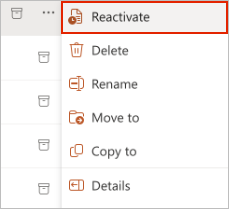
- Locate the file and select the More Options menu (•••).
- Select Reactivate.
How long does reactivation take?
After reactivation has been initiated, it may take up to 24 hours for the file to be available again.