

OneDrive folder shows "Sync pending" but no file is visible
If you cannot see any file causing the Pending status, it could be that the file causing the sync error is a Hidden file.
Tip
To view Hidden files in File Explorer, go to View and check the Hidden items box on the ribbon:
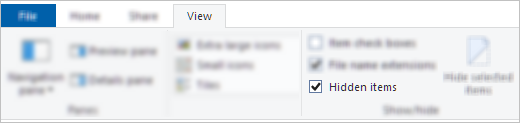
If there are no hidden files in the folder, follow these steps:
- Create a new folder. Note that empty folders may show Sync pending until you put a file into it.
- Copy all the files from the Sync pending folder to the new one.
- Delete the Sync pending folder.
OneDrive TMP files show "Sync pending"
To resolve the sync pending status on TMP files, you can do one of the following:
- Upload it manually to onedrive.com.
- Rename it and give it a new extension (e.g. "Temp"). If you cannot rename it, the file is still in use. Restart your computer and try again.
- Move the file to a folder not within your OneDrive.
- Delete it.
Caution
- A temporary .TMP file is a file that is created to temporarily store information in order to free memory for other purposes or to act as a safety net to prevent data loss when a program performs certain functions.
- If you move, rename, or delete a file, it may not work with its original program.
- We recommend that you do not delete any TMP files unless you know for sure they are no longer in use. You may inadvertently lose work not saved properly by the program that created it.
OneDrive toolbar icon stuck on "Sync pending"
If the OneDrive taskbar/menu bar icon shows "Sync pending," you may need to Delete your Office Document Cache.
See also
OneDrive is stuck on “Processing changes"
Need more help?
Account support. For help with your Microsoft account and subscriptions, visit Account & Billing Help.
Technical support. For technical support, select Contact Microsoft Support below, enter your problem and select Get Help.
Mobile users can contact Support by opening the OneDrive app and gently shaking your device.
Community support. Communities help you ask questions, give feedback, and hear from experts with rich knowledge. Ask the Microsoft Community. Do not disclose personal or sensitive information in public forums.